Bright Minds Club runs in the Chromebook browser. Nothing to install. There's no app for IT to approve.
We built it because some learning sites just weren't fun, and some were way too expensive. Nathan's one-liner: "Bright Minds Club is the website you wished you had as a kid. It has games that keep kids entertained while they are actually learning."
The club covers math, reading and Discover games for kindergarten through 2nd grade. Kids don't get accounts. You (the parent or teacher) are the one who signs in. No ads. No chat.
Kids who play these have loved them and keep asking to play some more. Ask which one's the favorite and you'll get a shrug from us. The whole mix gets replayed.
The 14-day trial doesn't ask for a card. Some games also play with no account at all.
Why it works on a school or home Chromebook
Open Chrome. Open the club. The kids are in.
Sign-in stays with the adult. Email and password work. Google sign-in works too. The login screen never shows up in front of the kids.
One account can stay signed in on several devices at once, so the same login can sit on a Chromebook cart and a home laptop.
The Cat Shop runs on stars kids earn by finishing levels. Nothing inside the games costs real money.
No-account games keep working offline once they have been opened. Member games need internet to start. If wifi drops mid-game they keep going, and progress syncs the next time you are online.
Parents can set a daily play-time cap for each kid. Kids get a friendly warning before time is up.
Teachers and parents kept saying the same thing: they don't have time, and they don't want a tech project just to run a center. So we made these click-and-play.
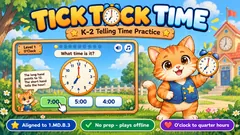
Games to try first on a Chromebook (no account needed)
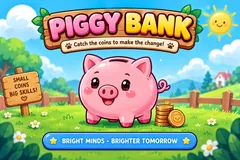
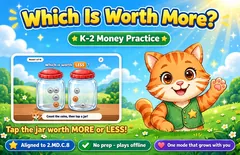
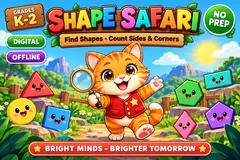
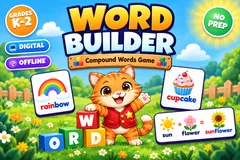
What kids practice
Kindergarten: counting and making 10, comparing numbers, coin names, shapes, letter sounds, rhyming. Early science shows up as the five senses and sink or float.
1st grade moves into adding and subtracting, tens and ones, skip counting, counting coins, telling time. On the reading side that means blends, digraphs, short vowels and silent e.
2nd grade work includes making change, place value to the hundreds, telling time, graphs, arrays, contractions and spelling.
Using it on classroom Chromebooks
Each game is tagged by grade and built around one skill, so you can drop the matching game onto a center Chromebook, hand it to a small group or leave it up for early finishers.
Many game pages list the Common Core standards they line up with, which helps when you are writing plans.
For whole-group review, open a game on the computer hooked to your projector. More classroom ideas sit on the For Teachers page.
Try it
14 days free, then $9 a month or $79 a year. We'll email you 3 days before your first charge. Cancel anytime.
Questions about Chromebook learning games
Are there free learning games for kids on Chromebook?
Piggy Bank Coin Counting, Which Is Worth More?, Shape Safari, Word Builder and Tick Tock Time cost nothing and need no account, which is usually how we demo the club. Everything else sits behind membership, though you can try the whole set free for 14 days. Then it's $9 a month or $79 a year, and we'll email you 3 days before your first charge. And there aren't ads in the club; the Cat Shop runs on stars kids earn by finishing levels.
Do I need to install anything on the Chromebook?
Browser only. Same story on iPad and laptop browsers, so you're not juggling three different apps.
Do kids need their own accounts or Google logins?
Leave the kids off the login screen. A parent or teacher signs in with email and password, or with Google, and that one adult account can stay signed in on several devices at once.
Will it work if our school wifi is slow?
Once you've opened a no-account game it keeps working offline, which matters on those mornings when the building wifi keeps dropping. Member games need internet to start, then they hold on if the connection falls mid-game and sync progress later.
More pages
For teachers · FAQ · Math games · Reading games · All games